
Host Verification
The reason uSSH exists: proving you are talking to the right server before trusting it, instead of asking you to eyeball a fingerprint.
The problem with “trust this fingerprint?”
Every SSH client faces the same first-connection dilemma: the server presents a key, and there is no way to know whether it is the real server’s key or an interceptor’s. The traditional answer is to show you a fingerprint and ask. Almost nobody actually compares it — the prompt trains you to press yes.
The DNS has had a real answer since 2006: SSHFP records (RFC 4255) let a server operator publish the host key’s fingerprint in DNS, and DNSSEC lets a resolver cryptographically verify that the published record is authentic. uSSH implements both, properly.
A strict resolver, built in
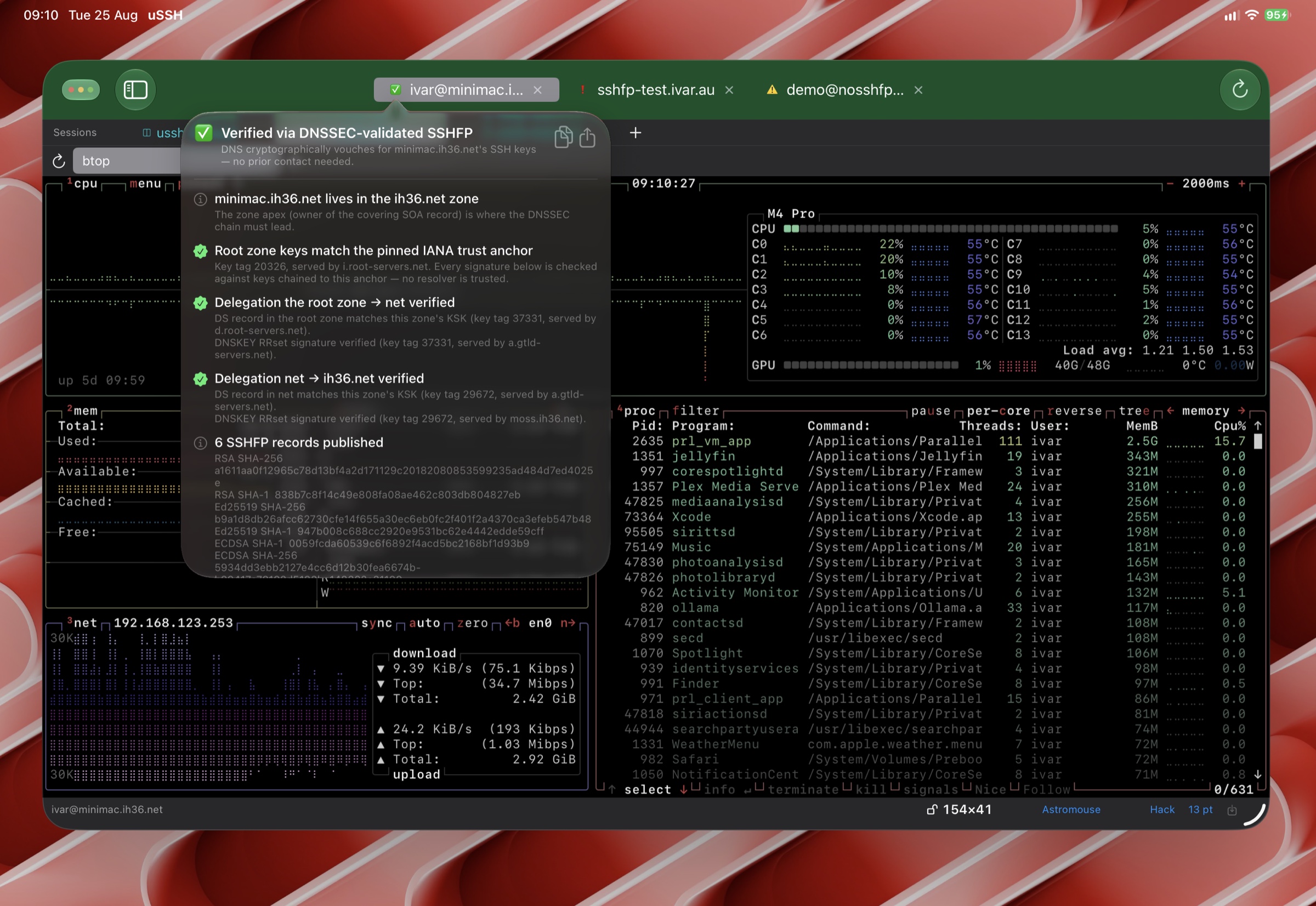
uSSH does not ask your network’s resolver to do the validating — a “yes, this was validated” bit from an upstream resolver is only as trustworthy as the network you happen to be on. Instead, uSSH ships its own strict validating resolver:
- Root trust anchors are pinned in the app; every answer is validated along the full chain of signatures from the root zone down to the host’s record.
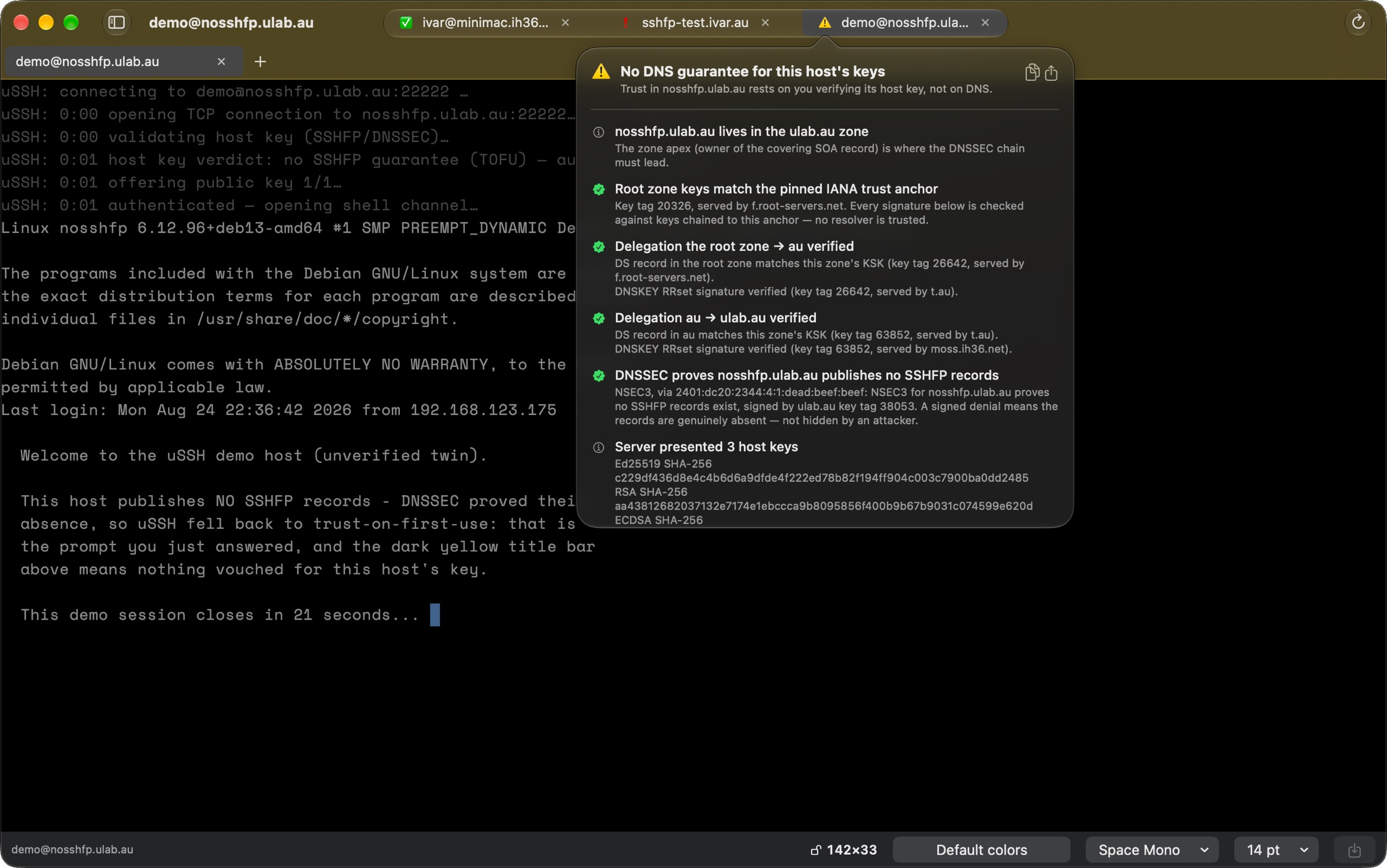
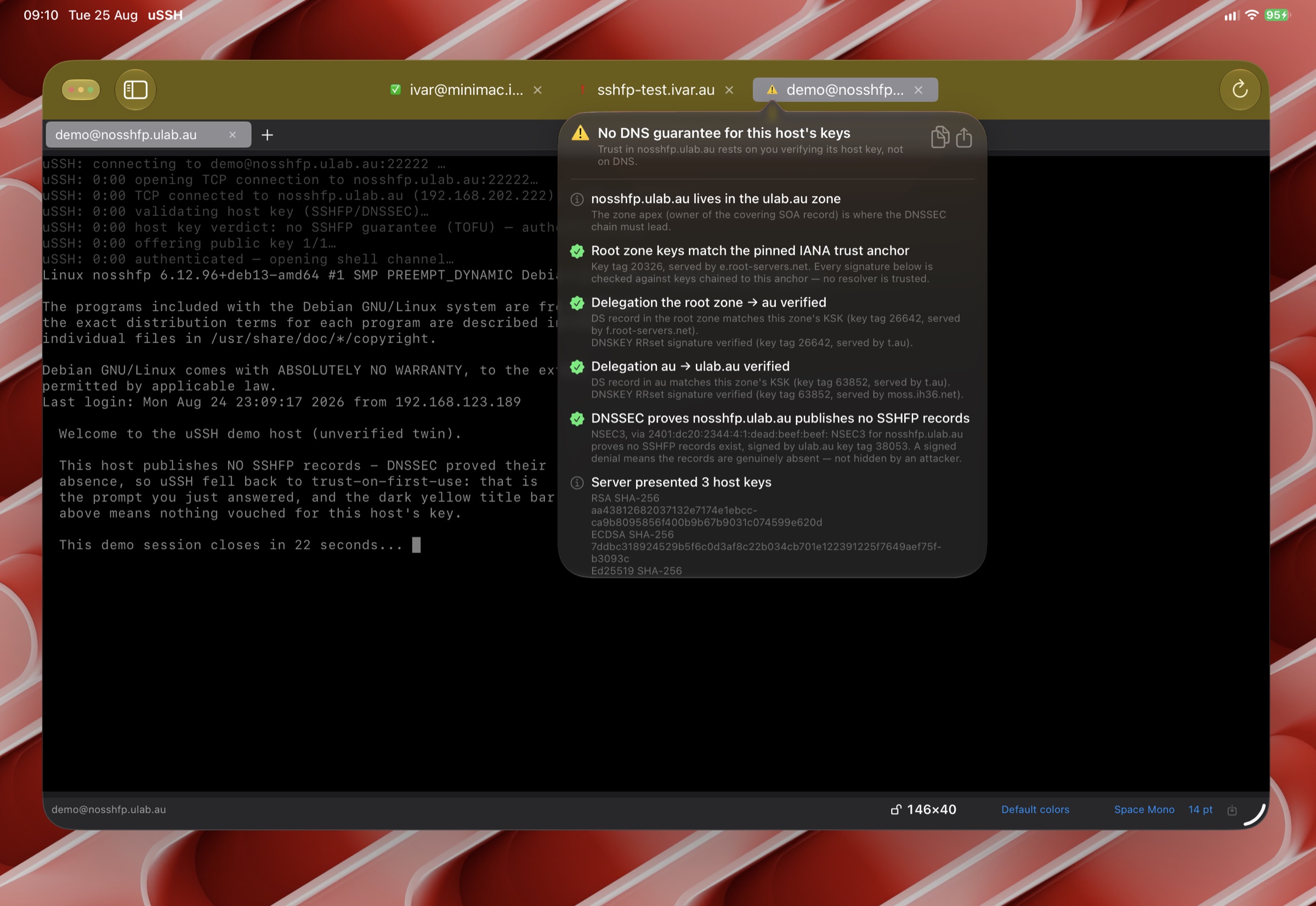
- Denial of existence is proven, not assumed: when a record is absent, uSSH checks the zone’s NSEC/NSEC3 proofs that it is genuinely absent — an attacker cannot simply strip the SSHFP records out of a reply.
- Validation happens on your device, so it works the same on hotel Wi-Fi, cellular, and networks whose resolvers have DNSSEC switched off. (Those are exactly the networks where it matters most.)
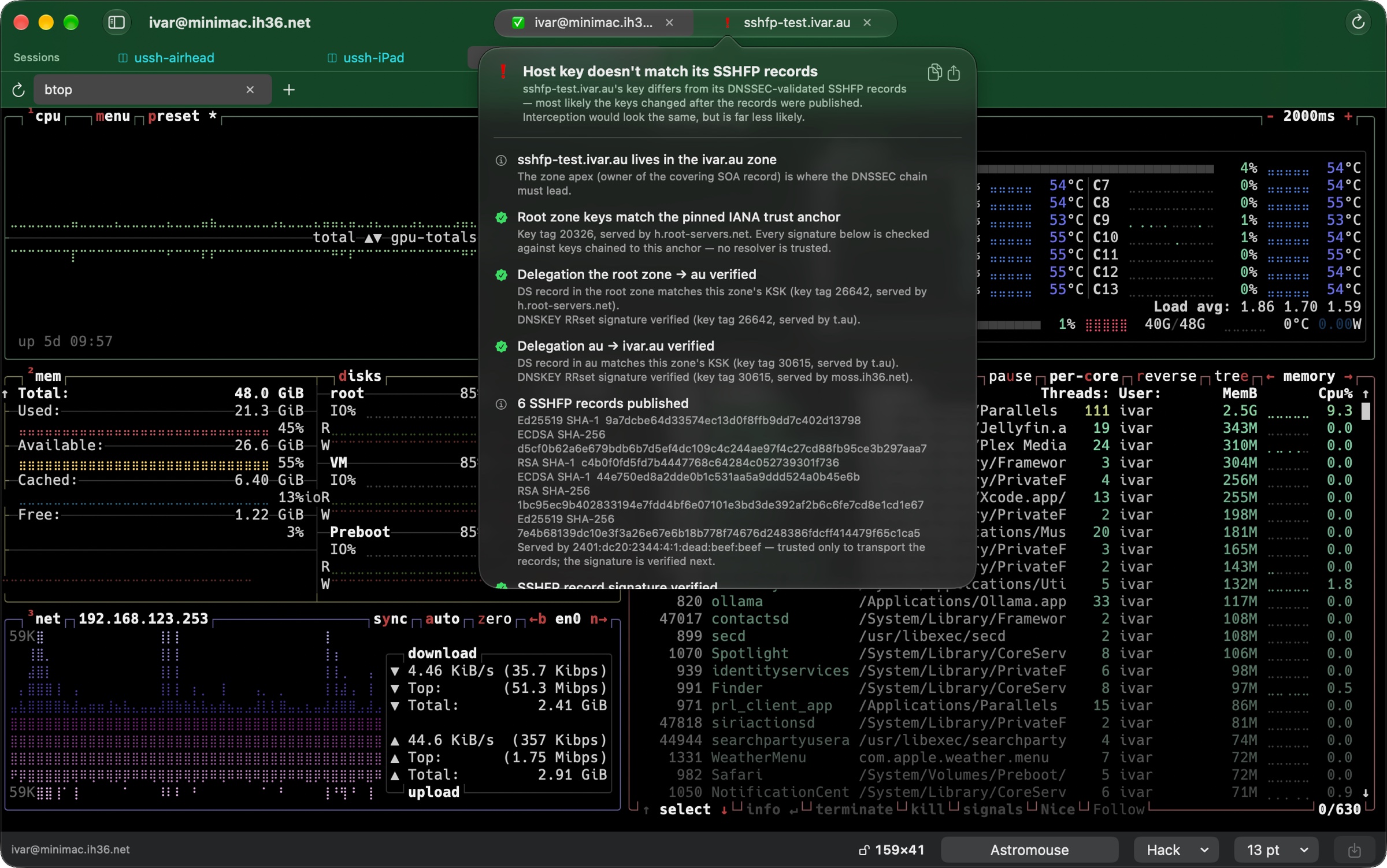
- The pinned root anchors keep themselves current. When the root zone introduces a new key-signing key, uSSH learns it the way RFC 5011 prescribes for resolvers — only after seeing it signed continuously for a hold-down period — and adds it to the pinned set, so the scheduled root rollovers need no app update. The verification flyover shows where each anchor came from.
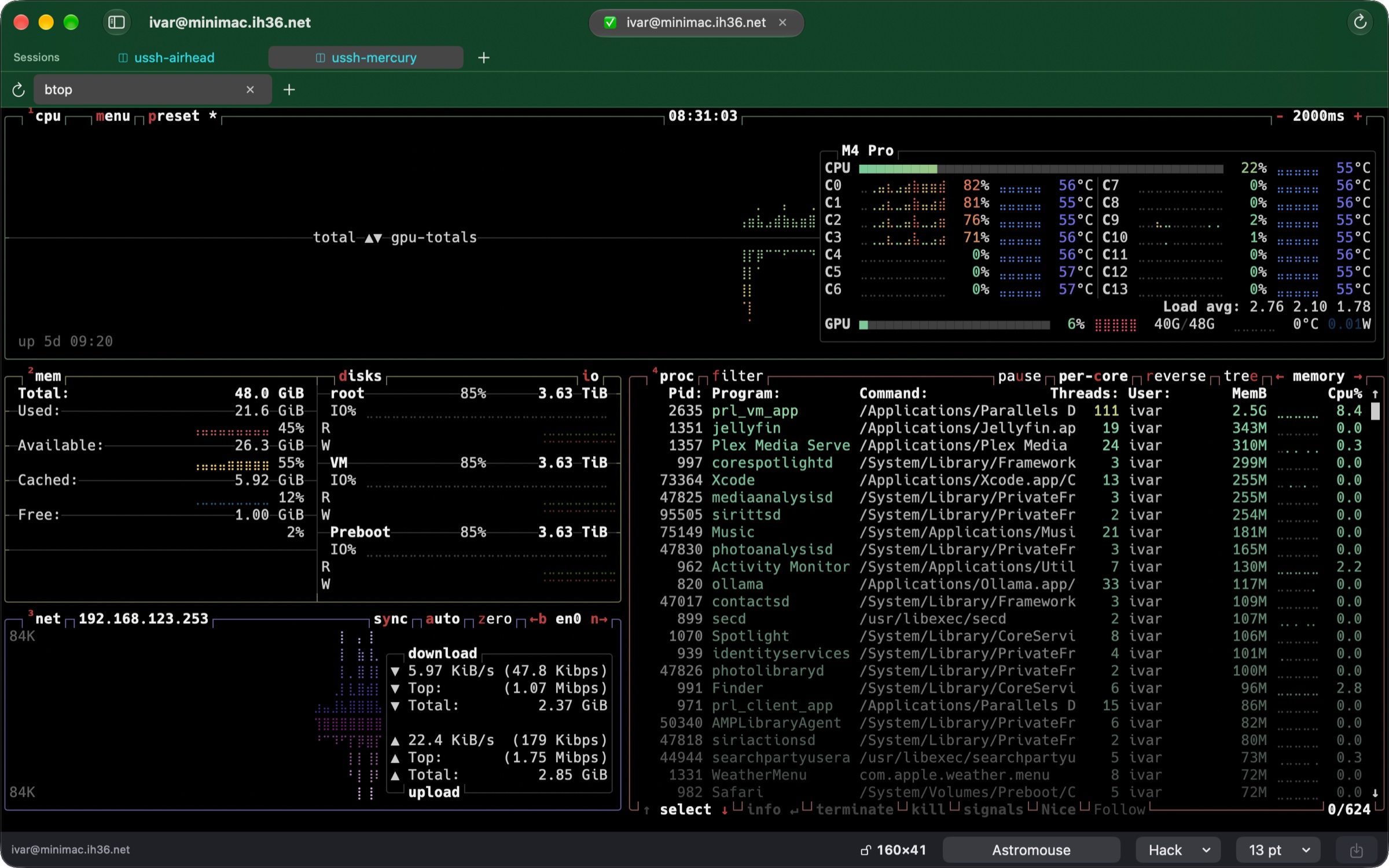
When the host’s key matches a validated SSHFP record, the connection carries the dark-green verified tier — no prompt, because there is nothing left to ask you.
Trust on first use, made honest
Most hosts don’t publish SSHFP records (yet). For those, uSSH falls back to the classic model: on first connection you are shown the key and asked once; accepting pins the key, and every later connection is checked against the pin. These connections carry the dark-yellow tier — a persistent, honest signal that this trust rests on that first-use decision, not on cryptographic proof.
If a pinned host ever presents a different key, uSSH refuses and tells you — the situation that prompt was always meant to catch.
When the key contradicts the DNS
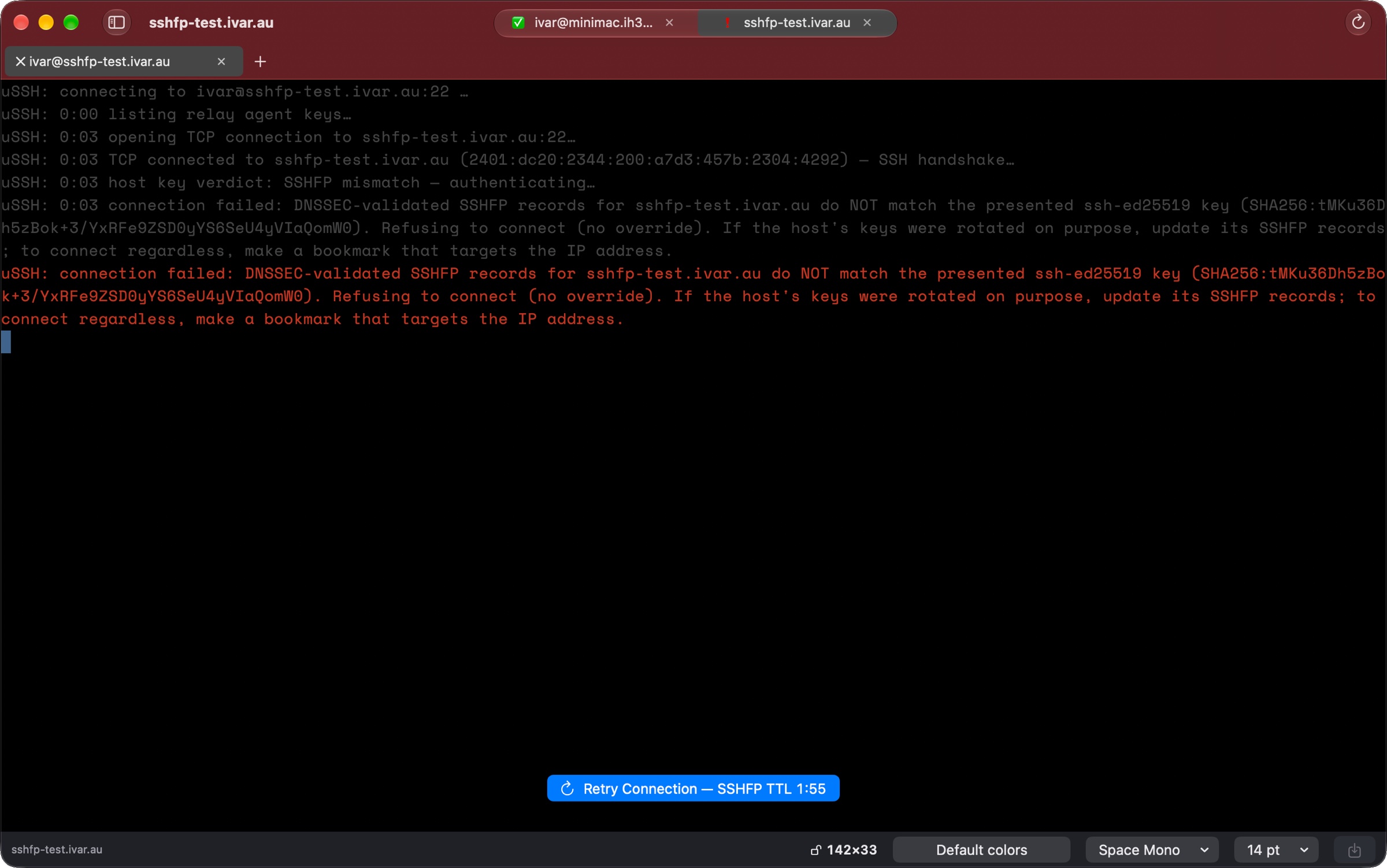
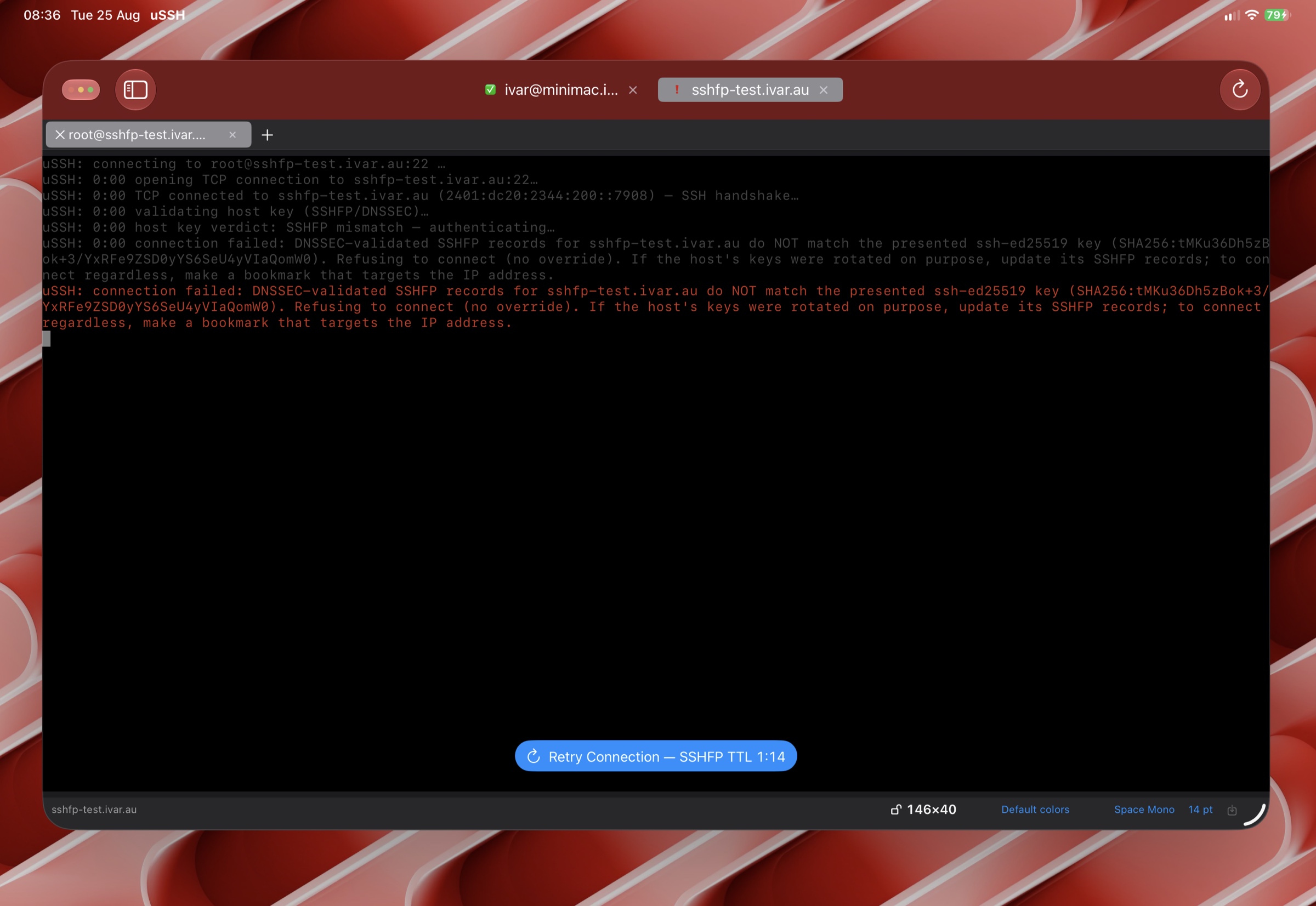
There is a third outcome, and it is the whole point of the exercise: the DNS says one thing and the server says another. If a host presents a key that does not match its DNSSEC-validated SSHFP records, uSSH shows the red tier and refuses to connect — with no override. The usual cause is innocent (the server’s keys were rotated and the records weren’t updated), but an interception would look exactly the same, and a client cannot tell the difference. The connection log says so plainly, and a retry button counts down the record’s TTL so a fixed zone is picked up as soon as caches allow. If you administer the host, update its SSHFP records; if you must get in regardless, a bookmark that targets the IP address bypasses DNS-based verification for that host only.
The verification flyover
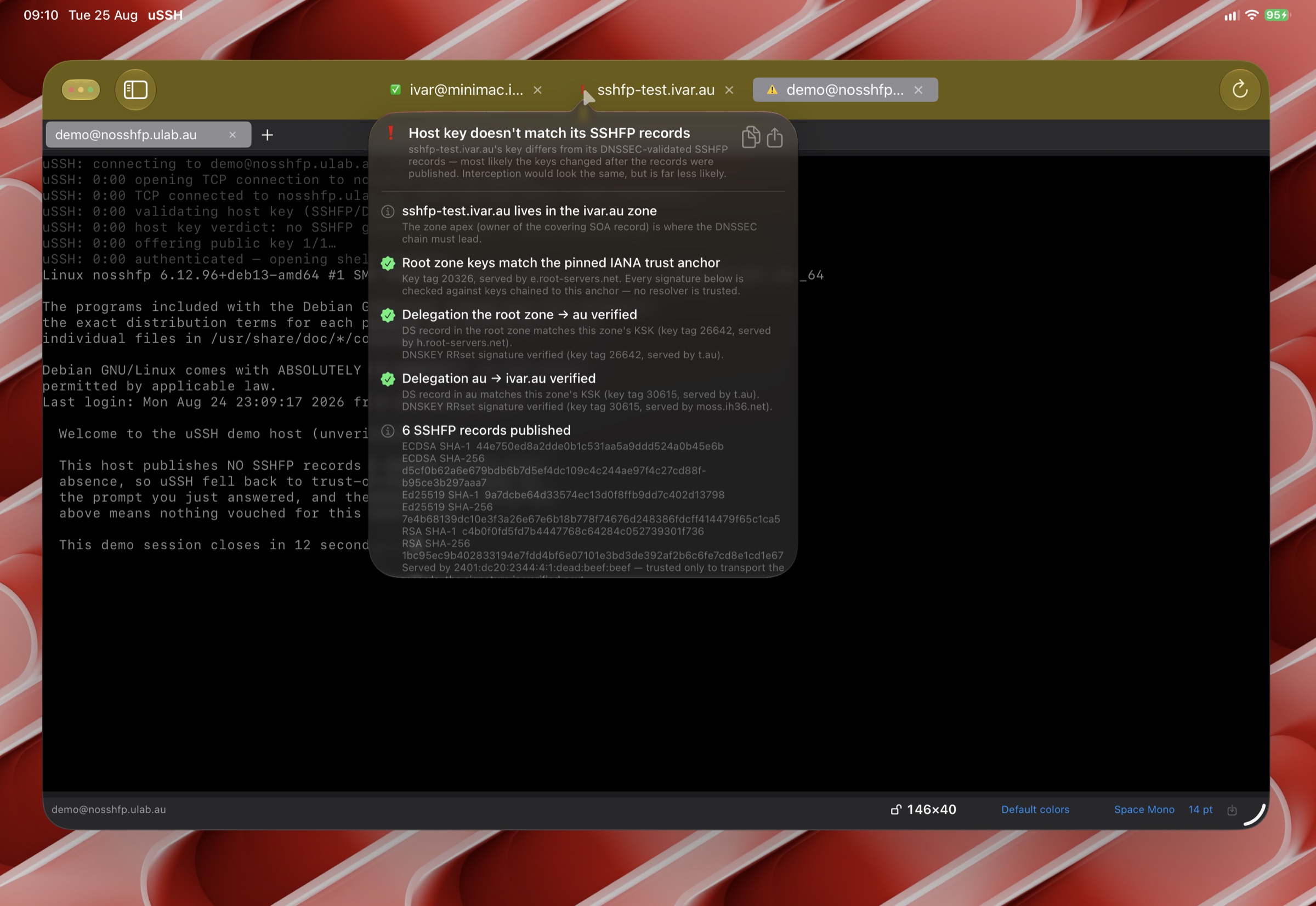
Click or tap the verification mark on any connection to open the evidence trail: each zone walked, each DNSSEC signature checked, the SSHFP match itself — or, for unverified hosts, the proof that no SSHFP records exist. The trace can be copied or shared, which makes it equally useful for convincing a colleague and for debugging your own zone signing.
Publishing SSHFP records for your own servers
To move your own hosts to the green tier: sign your zone with DNSSEC, then publish the fingerprints. On the server, ssh-keygen -r hostname prints ready-made SSHFP records for every host key. Add them to the zone, and uSSH connects green from then on — as does OpenSSH with VerifyHostKeyDNS yes.
When you rotate host keys, update the SSHFP records in the same change; verified hosts have no pin to get stale.